Thursday, March 16, 2017

IPhone 8: Curved display - but not like Galaxy S7 Edge
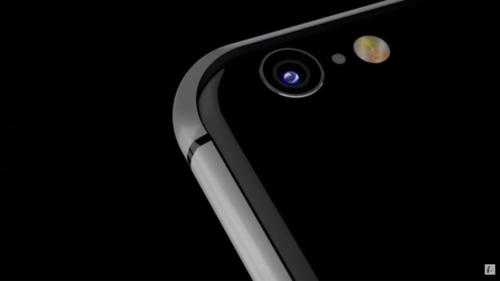
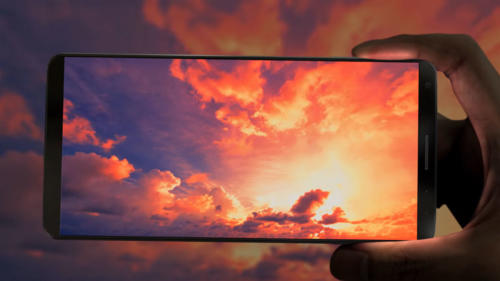
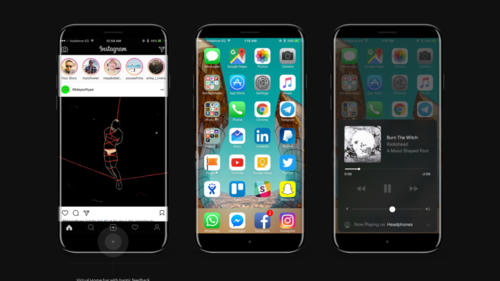
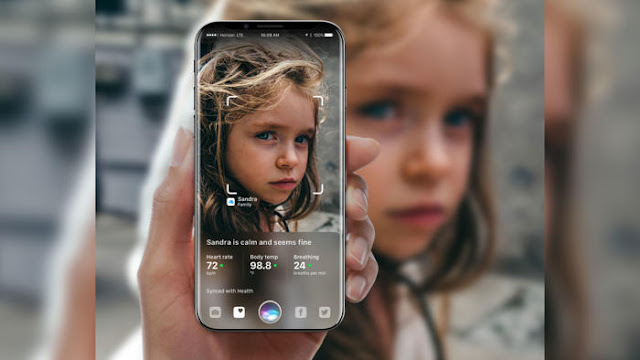
The iPhone 8 is to get a bent OLED display, but only to a small extent. Anyone hoping for a similarly large curvature, as Samsung uses it for its Galaxy S7 Edge, should be disappointed. Anyway, the Curved screen of the iPhone 8 is more likely to serve aesthetics, new controls are not expected.
IPhone 8: Curved display

Is the iPhone 8 now a curved screen or not? At least the Japanese side Nikkei Asian Review expects a curved display for the anniversary iPhone, reports MacRumors. The curvature will be significantly lower than the Galaxy S7 Edge. In any case, it is a challenge to produce such a curved glass. The visible area of ​​the iPhone is supposed to be 5.2 inches, but "no new significant functions" offer, the unspecified source is cited.

IPhone 8: Flat display uses "OLED not optimal"

The messages about the installed panel in the iPhone 8, however, differ slightly from each other. The market analysis company IHS Markit expects a conventional flat design. The well-known Apple analyst Ming-Chi Kuo is in the same direction, he also reckons with a so-called 2.5D glass, which Apple since the iPhone 6. But: A slightly curved display might correspond to this assumption. Apple would "use OLED not optimally", if only a conventional and thus flat screen would be installed, the insider continues to report. The design is not yet final and could change until the release.

Together with the iPhone 7s and the iPhone 7s Plus, the iPhone 8, also as an iPhone edition in conversation, should be presented on the traditional September keynote. However, industry observers expect a later appearance for the iPhone 8 with a later appearance than for the S-models - possibly only towards the end of the year at a price of more than 1000 US dollars.
HTC 11 could already be shown on 20 March
The new HTC 11 could already be presented on 20 March. On Twitter the manufacturer has at least a cryptic announcement with the words "Sping is coming" published.
HTC 11 could already be shown on 20 March

LG has presented its new flagship G6 at the end of February at the MWC 2017, Huawei also - and Samsung follows with the Galaxy S8 on 29 March. Now only HTC is missing, whose new flagship for 2017 is still waiting. This could change however already on Monday, because for this date the manufacturer has announced at Facebook a special surprise event.

The spring is coming - and with it a new HTC smartphone

To what exactly the event will turn, is so far unclear. However, it might be the idea of ​​the new smartphone flagship HTC 11, the successor to last year's HTC 10. More details, however, the Taiwanese manufacturer does not reveal. On the announcement is only the saying "Spring is coming", which is perhaps a modification of the saying "Winter is coming" from the HBO series "Game of Thrones" should be.

It is unclear whether the HTC 11 will carry this name. It was not until January of this year that there were rumors that the new model could bear a different name. That was, however, before the manufacturer had surprisingly announced the new smartphones HTC U Ultra and HTC U Play. However, it is conceivable that the new HTC smartphone, which is announced on Monday, has the so-called sense touch function, which was already announced in January in a promo video.

Wednesday, March 15, 2017

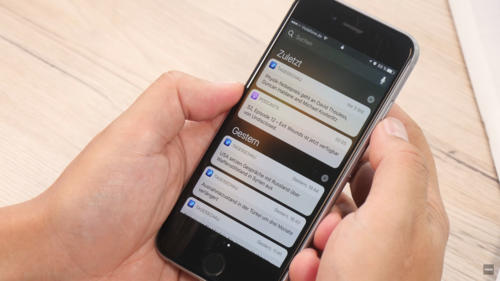
This will give you the iPhone notifications under control
You missed once again important notifications on your iPhone because they Flash again disappeared after accidental release of smartphones? With the right settings, you can prevent that. Here you'll learn all you need to know about the notifications on the iPhone.
iPhone notifications under control

First of all, you must add important notifications to your message center so that they are displayed even if you have already unlocked your iPhone, whether or not you want it. This option can be found here: "Settings> Messages". Now select the apps for which notifications are displayed in the message center. Make sure that the "Allow messages" and "Show in message center" check boxes are activated. In the same way, it works when you do not want to display notifications of certain programs. So you can disable the notifications for rather unimportant apps, so as not to sink into chaos.

Set a notification style for your notifications

In the next step, you can now configure the hint style in the form of banners and hints. Banners are displayed at the top of the screen, but disappear after a short time without having to activate. Notes, however, remain intact and require an active action - the preferred option for particularly important notifications. Navigate to the following menu: "Settings> Messages".

Now select the application for which you want to define a different hint style. For this to happen, the "Allow messages" option must be activated. Below are the options for the hint style. Here you can choose between "None", "Banner" and "Note". Again, you should take the opportunity to clean up a bit. Select the desired app and select "None" as a hint to continue receiving notifications for the app, but not a bold note in banner form.

Notification sound: To disable it

No question: Important messages should be signaled by a corresponding notification tone. But: Is this actually the case with every app? Do you have to accept any unimportant action on Facebook with a sound on your iPhone? In many cases probably not. Therefore you should go into yourself and check which sounds can be switched off safely. In the "Settings" under "Messages" select the respective app, for which you want to deactivate the sound. This is done by deactivating the menu item "Sounds" by slider.

Badges: How to switch the indicator counter off

The small red circles about apps and folders, the so-called badges, are a fairly practical thing. If an app has new notifications or notices ready for you, the little icon informs you about it without having to open the app before. But in everyday life, this can quickly become confusing, especially in a multitude of applications, and sometimes end in chaos. The problem: The badges only disappear when the corresponding app is started and the notifications have been called. Unfortunately, the icons can not be deactivated completely, but you can still determine for each application whether these badges should be played or not.

By the way: Apple calls the feature in its settings indicator counter. At first glance, it is unlikely to be clear what exactly is behind this description. And so you can disable the badges: "Settings> Messages". Select the desired app for which you want to disable the hints, and deactivate the "Indicator counter" item.

Summary


  1. Define notifications for the message center: "Settings> Messages"
  2. Select the app you want and turn "Show in Message Center" on or off
  3. Set the note style: "Settings> Messages" and select the app
  4. Make sure "Allow messages" is turned on
  5. In the Note Style area, choose "None", "Banner", or "Note"
  6. Turn sound on notifications on and off: "Settings> Messages"
  7. Select the app and make your choice at the "Tones" point
  8. Disable Badges: Select "Settings> Messages" and the app
  9. Turn slider to uncheck the red badges

Tuesday, March 14, 2017

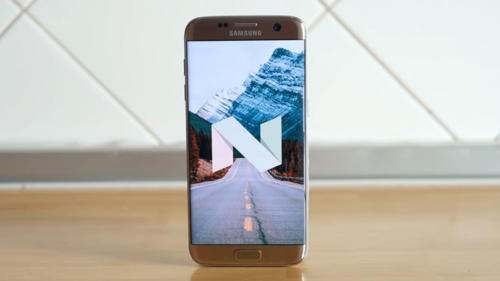
Galaxy S7: Troubleshoot WLAN issues after Android 7-update
After the update to Android, 7.0 nougat complain some owners of Samsung Galaxy S7 and Galaxy S7 edge wireless issues. We tell you five possible solutions.
Troubleshoot WLAN issues after Android 7-update

For some weeks now, Samsung has distributed the update to Android 7.0 Nougat for its two flagship Galaxy S7 and S7 Edge also in Germany. However, some users report problems with the wireless connection after updating their smartphones. However, it seems to be individual cases and not a fundamental problem with the update. The chances that you can do something against the mistakes are quite good. We'll show you which five tips could help.


Re-establish the network connection

The first thing you should do with connection problems with the wireless network is a reboot of the connection. Disable the WLAN interface on your smartphone, delete the connection and then re-enable the interface. Try to re-establish the connection to your wireless network. Possibly it can also help to restart the router.


Restart the Galaxy S7

If the replacement of the WLAN connection has not brought any improvement, the next step is a restart of the smartphone. It is even better to switch the unit off and then back on for a few seconds. If this does not have the desired effect, heavier guns must be produced.


Restart in safe mode

Next, you should restart the Galaxy S7 again, this time, however, in safe mode. To do this, you first switch the device off and then back on. Once the Samsung logo appears on the display, press the volume down button and hold down until the boot process is completed.

In secure mode, third-party apps remain disabled, so you can check if another app is responsible for the problem with the wireless connection. Try again to connect your Galaxy S7 to the WLAN network. If that works, it is clear that another app is the fault of the error. Unfortunately, the application does not reveal which app it is.


If you are suspicious of your app, you can find it by going to Settings> Apps> 'App Name' 'and then pressing the' Force Force 'button and then under' Memory ' "Delete all data from the app including the cache. If your suspicion is correct, the wireless connection should then also function again in the normal mode.
Samsung reveals colors of the Galaxy S8
Even before the product launch Samsung could have betrayed now the colors, where it probably will be buying the Galaxy S8 to the release. In addition to standard colors like black and silver, a quite extravagant paint could to join.
Samsung reveals colors of the Galaxy S8

Samsung is not only in South Korea the advertising drum for the Galaxy S8, but is even asking potential customers about the preferred color for their "new Galaxy". At least in India, Samsung fans could make their choice in advance, reports SamMobile. The potential buyers could decide on a separate registration page between black, silver and amethyst. Previously, the color Violet was recently thrown into the room, but almost the same. At least, amethyst is quite similar to the violet color.

Unveiled Samsung on 29th March the Galaxy S8 in Amethyst?

This does not mean, of course, that Samsung will offer these color options for the Galaxy S8 as well. But the thought probably does not seem to be absurd. Not only Samsung itself, also the Brazilian Onlineshop Submarino offers its visitors the same color options, white GSMArena to report. Meanwhile the hint of the Indian Samsung website has disappeared again. Instead, registry entries now have the ability to select features such as an "excellent camera" or "advanced battery life."


In which colors the Galaxy S8 will ultimately give for the release, Samsung will reveal on March 29th in the context of an Unpacked Event. Then we will also be able to convince ourselves of the new user interface, whose minimalist look was recently shown on leaked screenshots.
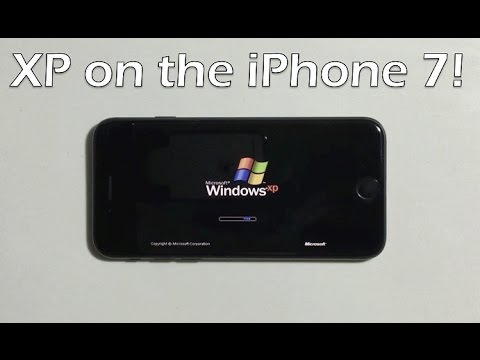
Windows-iPhone: Hackers brings to the iPhone 7 Windows XP
Recently also Windows XP - at least with an emulator running on the iPhone 7. In a YouTube video, a hacker demonstrated how to get the old PC operating system on the Apple Smartphone.

If you opt for an iPhone, you can automatically switch to the operating system iOS with all its advantages and disadvantages. But now there is a YouTube video showing how a hacker can run the ancient PC operating system Windows XP on a current iPhone 7 - and even use it with the touchscreen.

No hack but an emulator

However, this is not really a hack, but actually an emulator, which is installed on the iPhone and then runs Windows XP on the device. Remarkable is how well the emulator apparently functions and how the control of the mouse pointer was adapted to the touchscreen of the smartphone. This way the screen reacts like a trackpad: The pointer is moved by wiping and menus and folders can be opened by tapping.


Of course, the user friendliness remains modest overall. As usual with most emulators, it takes a feeling eternity to load the operating system on the iPhone and also the operation of the icons remains ultimately quite tricky. In the end, with Windows XP on the iPhone 7 but can not really do much. After all, the operating system was developed for completely different devices. Nevertheless, it is, of course, cool to see Windows XP on a smartphone.
Future LG flagships could all 18:9-display
Future Smartphone flagships of the Korean manufacturer LG might like the latest LG G6 all 18:9-have display. This suggests the application for the trade mark "Full Vision", which has backed up LG in Europe, the United States and in the home country of South Korea. 
Future LG flagships could all 18:9-display

Good, who finds the idea of extra long - and also wide - Full Vision displays of the LG G6, but not the current top model of the Korean friends with can, can now safely sit back and a year waiting for the upcoming flagship. Because it will have Full Vision probably again according to phone arena. That urge a trade mark application.

LG G6: Not the last flagship 18:9 obviously tried 

LG this market so far still not widespread aspect ratio as a special property of the unit. The company has of course not directly confirmed that there will be more in the future "FullVision" displays, but otherwise the application doesn't make sense. And should be clear also that not every display of a top model from LG is just like that of the LG G6. The aspect ratio of 18:9 will be used but certainly more frequently.

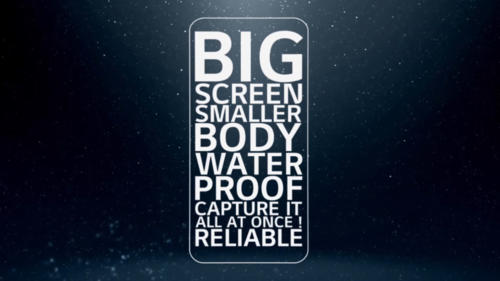
The new flagship model LG G6 came on the market last week in South Korea and is to celebrate soon in the United States and Europe its release. It somewhat stands out due to its unusual display from the mass of other current smartphones. Format called by the Korean manufacturer "FullVision" has an aspect ratio of 18:9 - instead of usually 16:9 - and is 5.7 inches tall with 1400 x 2880 pixels. The Panel has rounded corners and there is only a narrow margin, so the LG G6 is the currently most compact smartphone on the market.
But not curved? iPhone 8 could have flat display
Has the iPhone 8 but no curved display with curved edges? So far, most experts assumed that the future flagship of Apple in autumn, when the new iPhones come in terms of tightened round edges. Suddenly, it but looks like the iPhone 8 would once again have a flat display.
iPhone 8 could have flat display

So think about the analyst Wayne Lam by IHS, that Apple while an OLED display iPhone 8 will incorporate into the, which will be but flat: "we assume that Apple will use a design, that is similar to the current 2,5D-Glas", MacRumors cites the IHS investment advisors.

iPhone 8 display not curved - the fans are disappointed? 

For many Apple fans, it could be quite a disappointment, the iPhone manufacturer again dares not take the step the Samsung Samsung Galaxy S6 edge had already made two years with some success. Instead believes IHS analyst Wayne Lam, that Apple could focus more on LG: "more like the new LG G6 we assume that's a touch screen with a longer ratio could give the display area as a whole in relation to the overall size of the unit to grow. This new design language will be the trend for 2017, as also the Samsung devices could show at the end of the month."

Also Ming-Chi Kuo by KGI securities and TrendForce Chinese trend researchers believe that the upcoming iPhone 8 might have "only" a 2,5D-Glas on the front page, whose Kanten are indeed bent, where the curved effect fails but very low. So no major changes to the design of iPhone 6 and iPhone 6 plus, since 2014 already exist.

There are still although various sources such as the Wall Street Journal and IHS analyst Kevin Wang, who stated that the iPhone 8 has a screen which will be curved and round edges. But: Each of these sources has become their opinion changed, what to do can have so, that Apple has tested said a total of ten different prototypes. May be this device with round edges and others that are not curved.

Thursday, March 9, 2017

Galaxy S6: Update on Android 7.0 Nougat is now being rolled out
The quality deficiencies are apparently repaired: Android 7.0 Nougat for the Galaxy S6 and the Galaxy S6 Edge is now to be executed in Europa. Originally the update was already expected for the end of February, but the update had been delayed because of problems with the software.
Galaxy S6: Update on Android 7.0 Nougat is now being rolled out

The rollout of Android 7.0 nougat for the Galaxy S6 is apparently in full swing, reports SamMobile. Not just Vodafone in the UK seems to distribute the new Android version to Galaxy S6 owners. Customers in Germany, Italy and Switzerland are also now in the line. Corresponding messages have been published on the net, including on Twitter. Originally, they were hoping for a software release at the end of last month. But recently, Samsung announced that the new firmware will be delayed. As a reason, the South Koreans said they had to check the quality.


Galaxy S6: Android 7.0 nougat update with numerous features

The smartphone manufacturer mentioned no details. Maybe the current version of the Google operating system but not yet as round and fluent, as one was hoping. After all, the Galaxy S6 models are also almost two years old. Samsung, however, assured a fastest possible rollout, which seems to start now. Owners of the 2015 models can look forward to numerous new features and improvements. If you have not yet received the update, you can initiate this process under "Settings> Device info> Download updates manually".

The currently still current Samsung flagship Galaxy S7 has got Android 7.0 already some time ago, lastly also ungebrandete models were supplied. With the Galaxy S8 already the successor in the pipeline - then to the release directly with preinstalled Android 7.
Google Pixel: Microphone is obviously causing problems
Some buyers of the Google Pixel and the Google Pixel XL have obviously struggled with microphone problems - up to the complete deactivation of the audio input. What exactly causes the misconduct and what affected persons in these cases can do, we now clarify - and what a hair dryer has to do with the topic.
Microphone is obviously causing problems

A microphone problem is currently causing the perplexed face of some owners of a pixel phone, reports PhoneArena. The corresponding thread in the support forum of Google already brings it to more than 800 comments - no individual case so. According to the buyers' complaints, several of the three microphones sometimes also create difficulties. In the worst case, an audio input on the Pixel Phone is simply no longer possible. Some users came to the floor and explained that they had solved the problem with a hair dryer. However, this approach is not recommended.

Google: Less than 1 percent of all users affected by the problem

A Google employee explained in the forum that various causes are responsible for the faulty behavior of the microphones. The only thing to be sure is that the software does not get to grips with the problems, because faulty microphones are due to the hardware. The microphone could simply be defective, even a faulty soldering of the audio codec is possible. Both are, however, very rare, less than one percent of all users are affected, assured the search engine giant.

Anyone who is affected by this issue should submit his or her smartphone to Google for a free exchange. If you did not buy the Pixel Phone directly from Google, you should contact your dealer for the exchange. The development of the Google Pixel 2 should run on high tours, with a release of the successor is expected in the autumn.
Samsung Galaxy S8 is supposed to dominate face recognition
The Samsung Galaxy S8 is not only to be equipped with an iris scanner, but also to recognize facial recognition. This is to ensure reliable and fast biometric authentication - in less than 0.01 seconds.
Samsung Galaxy S8
In less than 0.01 seconds, the Galaxy S8 will recognize faces. (© YouTube / Samsung Display 2017 2017)

Samsung wants to spend his Galaxy S8 a face recognition, reported SamMobile with reference to The Investor. While the fingerprint sensor will in the future be placed far less prominently on the back of the smartphone, the iris scanner is likely to play a key role in identifying the owner. But the South Koreans do not want to leave alone. Because: The Galaxy S8 should also have a face recognition integrated. The biometric authentication is to become safer and, above all, faster. The system should take just less than 0.01 seconds to identify the face - as opposed to the slightly slower iris scanner.


Galaxy S8: Faster identification by facial recognition

Due to some limitations of the iris scanner in terms of speed and accuracy, one has decided to "add a face detection to the Galaxy S8," quotes The Investor, a Samsung official. Whether the upcoming product launch of the iPhone 8 could have favored the manufacturer's decision remains unclear. At the very least, however, it had probably fallen within the timeframe, in which more speculation about the integration of a face recognition technology for the iPhone 8 was speculated.

Sure, on March 29th, Samsung wants to present its new smartphone flagship in New York. The release is said to be latest rumors, however, only at the end of April, after having been anticipated with an appearance in the middle of April.
IPhone 8: Release clearly after iPhone 7s & iPhone 7s Plus?
The iPhone 8 is supposed to come under the name "iPhone Edition" in the trade. The release is insider information, however, according to the standard models iPhone 7s and iPhone 7s Plus.
IPhone 8: Release
The iPhone 8 could come with the name "iPhone Edition" on the market. (© AlHasan Husni 2017)

That the iPhone 8 this year will also come with this name in the trade is, of course, still by no means mattered. After the title "iPhone X" has finally been published, a report from the well-known Japanese Apple blog Mac Otakara according to MacRumors now brings the name "iPhone Edition" into play. Similar to the Apple Watch Edition, the name should also signal the iPhone's absolute luxury. The smartphone should therefore also crack the 1000-dollar mark.

IPhone 8: OLED screen still not secure?

The smartphone is supposed to be presented together with the iPhone 7s and the iPhone 7s Plus on a keynote in September, but the release of the iPhone Edition could be "clearly later". With the features for the iPhone 8 / iPhone Edition, Apple according to the report so far however still sway. Only so far a 5-inch screen, wireless charging and a dual camera are so far. For the 5 inch, Mac Otakara refers to the really usable display part, the complete screen is rumored to be 5.8 inches in size. The iPhone 8 or iPhone Edition will not be bigger than the iPhone 7 with 4.7 inches due to a nearly borderless design.

Otherwise, Apple is currently still many prototypes of the device circulating - some with physical home button, some with a pure software solution. Even with AMOLED and LCD screens are still experimenting. Quite so surely the feature does not seem to be so many rumors.
Apple AirPods: Change the function of the Double-Tap feature - how it works
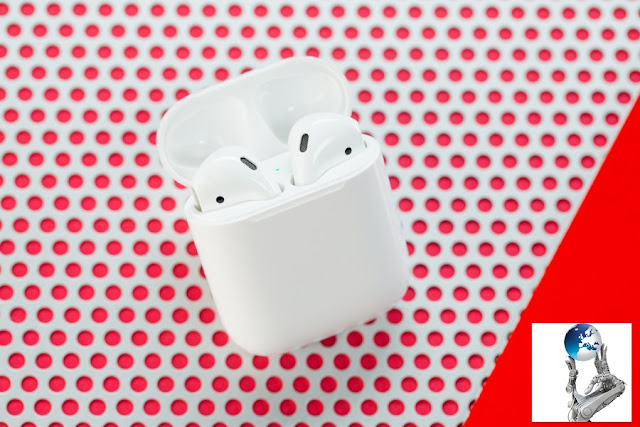
In conjunction with an iOS device, Apple's AirPods provide many useful features. For example, Apple has integrated a double-tap feature that triggers certain actions when you tap twice on one of the earpieces twice. What happens after that, you can adjust yourself. We'll give you a few tips on how to personalize your wireless headphones.
Apple AirPods
Apple has equipped the AirPods with some settings (© 2017 TEC TECH)

Connect

To make settings for your AirPods, first connect them to your Apple device. If you have already used it, it is enough to open the loading case with them. When Bluetooth is enabled on the iOS device, the headset is then automatically paired with it. If you have just unpacked your new gadget and have not yet put it into operation, open the loading case and place it next to your iPhone or iPad. The setup wizard then starts. Tap "Connect" and then "Done" as soon as the connection has been successfully established.


Double-tap customization

To configure the Double Tap feature of your AirPods, take your iPhone or iPad handheld and enter the "Settings". Look for "Bluetooth" and open this menu. If your wireless Apple headphones are connected, you will see them in the next window. Selects it to access the setting options.

In the AirPods settings, you will find the tab "On AirPods Double Tipping". There are three options to choose from: "Siri", "Start / Pause" and "Disabled". You can choose whether you want to activate the language support of your Apple device with a double-tip on one of the earpieces, or whether you want to pause or continue the music playback via the feature. If you have problems with Double-Tap, such as when the function is often activated by you inadvertently, you can also disable it completely. Attention: In combination with an Android device you have fewer settings available. With the Double-Tap feature, you can stop or resume music playback.

More options

Apple offers you in the AirPods settings further possibilities for the adjustment of the wireless headphones. For example, you can set the name of the gadget displayed on your smartphone under "Name". For example, "Auto Ear Detection" automatically starts playing music as soon as you insert the AirPods into your ears. Since both ear parts each have a microphone, you can also select under "Microphone", which should be used for example in a call.

Summary:


  • Enables Bluetooth on your iOS device
  • Opens the AirPod's loading case to connect the devices
  • If you have not already used the AirPods, open the charging case and connect it to your Apple smartphone or tablet
  • Under "Settings | Bluetooth | AirPods" you will find the setting "On AirPods Double-Tipping"
  • For the Double-Tab feature, choose "Siri", "Start / Pause" or "Disabled"
  • You can also use the AirPods settings to change the displayed name of the gadget
  • The "automatic ear detection" can be deactivated
  • Sets the microphone of the Apple earpieces to be used if necessary
  • In conjunction with an Android device, the Double-Tap feature allows only start / pause in music playback

Tuesday, March 7, 2017

Note on the OnePlus 4? Mysterious wallpaper makes the round
The MWC 2017 is over and most major smartphone manufacturers have presented their new models for the first half of the year. On the other hand, there is hardly anything to report from the OnePlus 4, but this may soon change. The Leak expert Evan "evleaks" Blass has published at least via Twitter a mysterious picture, which apparently contains a hidden hint.
Note on the OnePlus 4?
OnePlus Teaser evleaks (© 2017 Twitter.com/evleaks)

The picture shows a black surface with a multi-curved silvery-red structure. Blass commented on the tweet with the illustration, "You know what that means, right?" Unfortunately, we must admit that we do not know what the picture is supposed to tell us.

OnePlus 4 or OnePlus 3T in black?

Some other Twitter users now declared in comments that the image should also be part of the current Android 7.1.1 beta for the OnePlus 3T. On the accusation of a user, that the picture otherwise has no meaning, Blass however a decided "False". What is left is the Leak specialist.

An information that can not be derived from the subject is the resolution of the image. It is at the original apparently 1920 x 1080 pixels and fits thus the display of the OnePlus 3 and OnePlus 3T. If the manufacturer were planning to display the image on a successor, this would mean that the "OnePlus 4" also has a "Full HD" display. Just as well, the black version of the OnePlus 3T could hide behind the dark image. We hope to learn more about this soon.
Android smartphone with broken display: How to unlock it
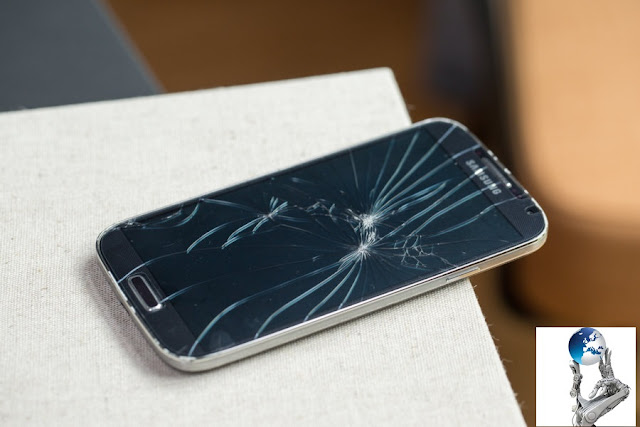
Once not watched and the Android smartphone crashes on the hard asphalt. An impact that the display may not survive. However, if the screen does not work, it does not mean the end of your data stored on the device. With our tips, you can unlock the smartphone even if the touch screen fails the service.
How to unlock it
With the right preparations, you can also access an Android smartphone with display damage (© 20017 TECHTECH)

Access via web tool

There are several methods to get access to an Android smartphone with broken display. However, you must take precautions for most of the solutions before your screen blesses the temporal. For the simplest method, you need a computer. Go to the "Android Device Manager" website and sign in with your Google account.

Join now your Android smartphone for the service. However, in most cases, your device is already registered automatically, so you do not need to take any further steps. If the GPS is enabled on the smartphone, it is detected by the web tool. Click on "Lock" and select "Unlock". Even with a broken display, you are able to gain access to the device. If you now connect it to the computer, you can transfer and back up all required data.

Display on computer display

A second method of accessing a smartphone with a broken display is remote control from a computer. However, a few steps are necessary for the setup, for which the smartphone must still be fully functional. In our example, we use "Vysor". The program can be downloaded free of charge from the Google Play Store for Android.

After the installation of "Vysor" you have to activate "USB Debugging" on your smartphone. Go to your "Settings" under "My device" and type the "Build version" seven times. This makes the developer options visible. Then follow the path "Settings | Developer Options | USB Debugging | On".

Download "Vysor" on the computer as an extension for the Google Chrome browser. Executes a search for devices in the application and selects your smartphone. Your Android device asks if you want to allow "USB Debugging". Activate the "Always Allow" check box and confirm with "Ok". As soon as the connection between the two devices is established, you confirm again with "Ok". Then you can unlock and control your smartphone from the PC - even if your display is broken. This requires a connection via USB, which then also allows the copying of data.

Many ways lead to the homescreen

Let us not forget that there are other possibilities. If your Android device does not have a lock code, you can connect a mouse via OTG cable, for example, and unblock the smartphone via this device with a click and a wipe movement to the right. There is also another comfortable remote software in the XDA-Entwicklerforum, which is, however, much more complicated to set up.

Summary:


  • To unlock an Android smartphone despite a broken display, you need to make preparations as long as the device is still working
  • You can use the "Android Device Manager" web tool to locate the smartphone and also to unlock it with the "Lock" button if GPS is activated on the device
  • Then you can connect the smartphone via USB to a computer and copy all important data
  • Set up a remote software such as "Vysor" to access your Android device and copy important data from the computer
  • For remote access, you may need to enable "USB Debugging" in the developer options
  • The corresponding menu is visible in the settings, if you under "My device" seven times on the entry "build version" tippt
  • Depending on the manufacturer of the Android smartphone, the exact names of the menu items may differ
HTC U Play: To insert the SIM card
Like any smartphone, the HTC U Play is also perfect for telephoning, for online services like e-mail retrieval and mobile surfing. In order for these features to work on the go, a SIM card is required, which allows access to the mobile network of your provider. We will show you how to insert the small card, how to insert a second SIM card and what to consider.
HTC U Play
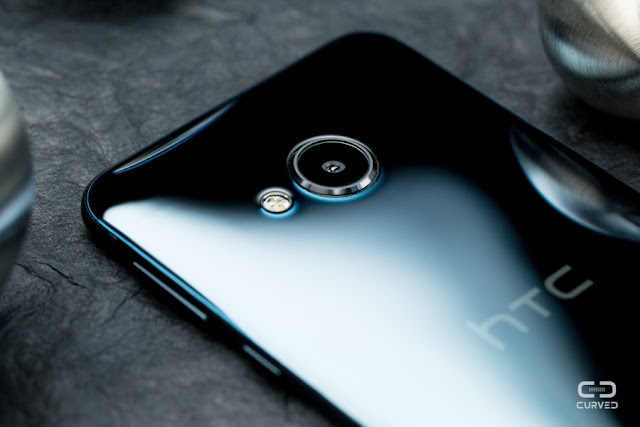
The slot for SIM cards and microSD card is located at the top of the HTC U Play (© 2017 CURVED)

Like the vast majority of other smartphones from 2017, the HTC U Play requires a SIM card in nano format. You will receive the small card of the size of a fingernail from your mobile phone provider, where you should also report if you still have a card, but it has the wrong format. Do not try to cut the card with a pair of scissors: If the size of the SIM is only slightly reduced afterwards, this can damage the insert or lead to a connection break later.

Open and insert

The HTC U Play offers in some versions and regions the possibility to use two SIM cards at the same time. This can be especially worthwhile if you want to switch regularly between the mobile networks of several providers, because you are traveling a lot. If your HTC U Play supports the dual SIM function, however, you must decide whether you want to insert a second card of this type, or a microSD card for memory expansion, next to your first SIM.

To open the slot in which the cards are inserted, use the supplied tool. This is a small plate with a thin pin protruding from it. The latter has to be pressed slightly into the tiny hole, which is at the upper end of your HTC U Play slightly to the left of the middle axis when you see on the screen from above. Instead of the tool, you can also use a clipped office clip.

If you have done this, the sled for the SIM or memory card should have come a little way out of the HTC U Play. Pull it out completely to fill it better. Now place your first SIM card with the gold contacts down into the slide and into the smaller slot, which will later be located further back in the device. The second SIM or the memory card comes into the larger compartment and again with the contacts down. Then you can carefully slide the sled into the HTC U Play until it snaps into place.

Summary:


  • The HTC U Play supports the use of two SIM cards in some variants and regions
  • If you want to use the dual SIM feature, you do not have to use a memory extension using a microSD card because the second SIM and the memory card are inserted into the same slot
  • To get the SIM and memory card sled from the HTC U Ultra, press the tip of the supplied tool into the small opening at the top of the smartphone, slightly to the left of the center
  • The carriage jumps out slightly, so you can pull it out of the unit
  • The first SIM card with the gold contacts down into the field of the sled, which is later in the interior of the device
  • An optional second SIM card (for some variants of the smartphone) or a microSD memory card can be inserted into the second field of the sled
  • Then slide the sled with the cards back into the HTC U Play, until it locks into place
  • Be careful in doing so, and make sure that the carriage is aligned correctly
In addition to pixel 2: Google plans to continue cheap smartphone
Google wants to bring in the autumn of this year with the pixel 2 a successor to its first own premium smartphone on the market. Unsurprisingly, stubborn rumors hold that the Group continues to work on a cheap entry-level mobile phone.
Google plans to continue cheap smartphone
The Google Pixel 2 could also get a more favorable offshoot. (© YouTube / MobySmartCat 2017)

In addition to the Pixel 2 in 2017, Google could also launch an entry-level version of the device at a lower price on the market. As 9to5Google citing an insider reports, the team behind the pixel smartphone also works a cell phone with stripped down specs. Prototypes of the device are currently under the name "Pixel 2B" run - whether this is also the final name of the smartphone, is more than open.

Google Pixel 2 stays premium: pixel 2B for emerging markets?

Google's hardware chief Rick Osterloh had recently emphasized in an interview that the Pixel 2 will always remain a "premium smartphone" and also indicated that the release date could fall back to fall. "You can count on the fact that we follow this (the annual rhythm), you can count on a successor this year, even if you do not get a date from me," says Osterloh .

These statements, of course, do not rule out the publication of a cheaper pixel series. This "cheap pixel" could benefit from the technology of the first Google pixel, but in sales then run under another brand name, such as Android One. This is also a further indication of the insider source of 9to5Google hints: The pixel 2B is therefore not to appear in the US and more to buyers in emerging markets.
HTC U Ultra: SIM-Karte richtig einlegen
The HTC U Ultra unfolds its capabilities only when the SIM card is inserted. As with all other smartphones, you will not have important features such as surfing the Internet without WLAN, telephoning or sending messages. As you use the SIM, we explain to you in this guide.
HTC U Ultra: SIM-Karte


The right size

First, you should remember that there are SIM cards in different sizes. If you have not bought a new smartphone for a long time, your SIM card could still be in the wrong format. A nano SIM card is needed, which is the smallest available size. So if you have a card in micro or mini format, it will not fit into your HTC U Ultra.

You can request a nano-SIM card from your wireless service provider. Within a few days the new card will be sent to you by post. It is then in a kind of plastic stencil, which is also the case when the HTC U Ultra is your first smartphone and you get a new SIM card. From this template, you can now break the right size. This works without effort. The small nano-format you recognize, that almost only the golden chip remains left and around is hardly plastic to be found.


Insert the SIM card

On the HTC U Ultra, the slot for the SIM card is located on the upper right side of the display. You recognize this at a small hole. In the packaging of your smartphone, you will find a narrow tool with which you can now open the slot. Insert the pointed end into the opening and exert some pressure. The sled should then jump out. If you can not find the tool, you can also use the wire of an office clip.

Insert the SIM card into the smaller one of the two slots. Because of the shape of your card, it fits into the device exactly in a way. So you can not do anything wrong here. Then put the sled back into the HTC U Ultra, push it gently back into the device and press with little force against the cover, so that it snaps into place.

Start enable

Then you can use the smartphone. Turns on the device and waits until it is started. You will then be prompted to enter your PIN. This was sent to you with your SIM card. Once you enter the number correctly, the HTC U Ultra connects to the mobile network. Only a few steps follow, then the device is set up. If you can not establish a connection despite reception, the SIM card may not yet be enabled. This usually happens by itself. Otherwise, you must contact your mobile phone provider. Have fun with your new HTC smartphone.

Summary:

Only the SIM format "Nano" fits into the HTC U Ultra
The SIM card slot is located on the right side of the smartphone from the display
Press gently into the opening with the supplied tool so that the carriage juts out a little bit
Insert the SIM card into the smaller slot of the carriage - the card fits correctly into the carriage only in one way
Carefully insert the sled into the smartphone until it clicks into place
Take your HTC U Ultra into operation
Enter your PIN code, which you received together with the SIM card
If the device does not connect to the mobile network despite reception, you should contact your mobile phone provider. The map may not yet be available
LG G4 and LG V10 get update to Android 7.0 nougat
Good news for all owners of an LG G4 or an LG V10: The smartphones are to be supplied by original LG plans but now with the update on Android 7.0 nougat.
LG G4 and LG V10 get update to Android 7.0 nougat

Actually, LG wanted to offer the update on Android 7.0 nougat for the nearly two-year-old LG G4 and LG V10 smartphones no longer offer. As Yonhap News reports, however, a surprising turnaround is now taking place. The Korean manufacturer wants to distribute the software update but also for the older mobile phones, since he respects the "right of selection of the customers". As a release date for Android 7 for the LG G4 is called the third quarter 2017. For the LG V10 the update is also to appear in the second half of the year 2017. With the step, LG also responded to complaints from customers who complained about the missing update.

Release dates so far known only to South Korea

A catch has the good news, however: The release schedule initially refers only to LG's home country South Korea. Owners of an LG G4 or LG V10 in Germany should therefore expect an even longer waiting time, since Android updates from the mobile phone providers are played differently fast. Nevertheless, it is, of course, laudable that LG wants to provide its two-year-old flag ships with software updates.

The LG G4 appeared in April 2015 with preinstalled Android 5.1 Lollipop and received in October 2015 the update on Android 6.0 Marshmallow. The LG V10 with its unusual ticker display appeared in October 2015 with preinstalled Android 5.1.1 Lollipop and later also got Android 6.0 Marshmallow.

Monday, March 6, 2017

Finally: Genuine Samsung Galaxy S8 shows itself in short video
Finally, it has happened: The real Samsung Galaxy S8 - and not just a computer calculated image - is in a very short video. A few weeks before the release of the device, more and more leaks of the device appear.
Finally: Genuine Samsung Galaxy S8 shows itself in short video

So just before the launch of the Samsung Galaxy S8, which will be celebrated with a release event on 29 March, the frequency of the leaks is growing strongly. And that, although the manufacturer, of course, with all the mids to prevent that his employees shots pictures and other information to the public, writes Slash Gear.

Samsung Galaxy S8: The short video shows nothing new

So it is no surprise that there is now a short video of the upcoming top model from Samsung. The clip does not show anything new, but it is a little strange, which is almost by the way. Because on the device immensely large warnings, not to publish it - and exactly that has happened now.

It is also strange that the IMEI number and also the barcode of the device are clearly visible. This allows the smartphone to be tracked well. Therefore, it is also somewhat surprising that the video is still online some time after the Leak. It remains unclear whether Samsung is just preparing the lawsuit against the Videofilmer or whether the Korean company the film simply does not care.

It may well be that the video Samsung really does not care, because in the last days the leaks to the Galaxy S8 have increased enormously. However, the pictures show only what is already known in fact, among other things that the display of the device almost borderless and the fingerprint sensor on the back has migrated.