Thursday, March 16, 2017

IPhone 8: Curved display - but not like Galaxy S7 Edge
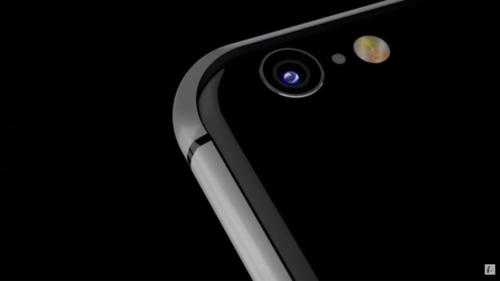
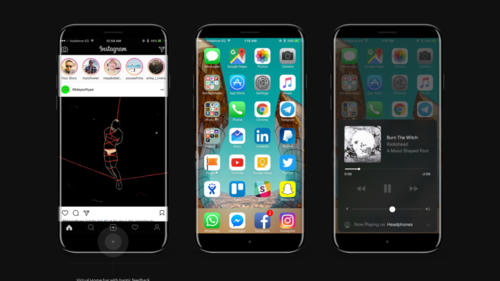
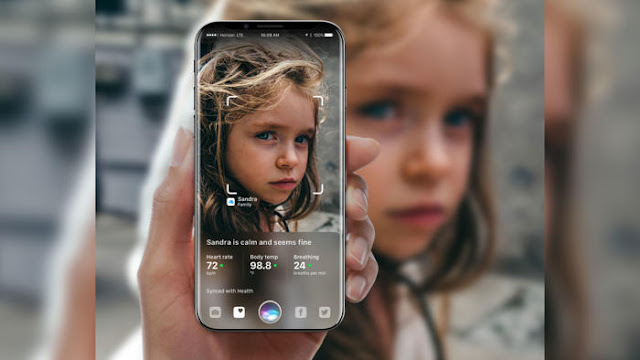
The iPhone 8 is to get a bent OLED display, but only to a small extent. Anyone hoping for a similarly large curvature, as Samsung uses it for its Galaxy S7 Edge, should be disappointed. Anyway, the Curved screen of the iPhone 8 is more likely to serve aesthetics, new controls are not expected.
IPhone 8: Curved display

Is the iPhone 8 now a curved screen or not? At least the Japanese side Nikkei Asian Review expects a curved display for the anniversary iPhone, reports MacRumors. The curvature will be significantly lower than the Galaxy S7 Edge. In any case, it is a challenge to produce such a curved glass. The visible area of ​​the iPhone is supposed to be 5.2 inches, but "no new significant functions" offer, the unspecified source is cited.

IPhone 8: Flat display uses "OLED not optimal"

The messages about the installed panel in the iPhone 8, however, differ slightly from each other. The market analysis company IHS Markit expects a conventional flat design. The well-known Apple analyst Ming-Chi Kuo is in the same direction, he also reckons with a so-called 2.5D glass, which Apple since the iPhone 6. But: A slightly curved display might correspond to this assumption. Apple would "use OLED not optimally", if only a conventional and thus flat screen would be installed, the insider continues to report. The design is not yet final and could change until the release.

Together with the iPhone 7s and the iPhone 7s Plus, the iPhone 8, also as an iPhone edition in conversation, should be presented on the traditional September keynote. However, industry observers expect a later appearance for the iPhone 8 with a later appearance than for the S-models - possibly only towards the end of the year at a price of more than 1000 US dollars.

Wednesday, March 15, 2017

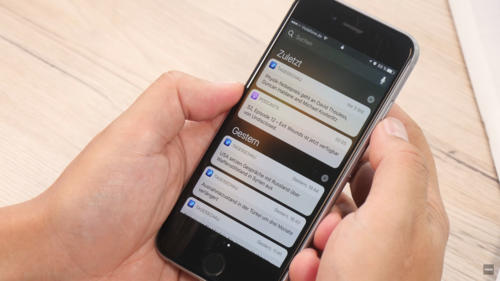
This will give you the iPhone notifications under control
You missed once again important notifications on your iPhone because they Flash again disappeared after accidental release of smartphones? With the right settings, you can prevent that. Here you'll learn all you need to know about the notifications on the iPhone.
iPhone notifications under control

First of all, you must add important notifications to your message center so that they are displayed even if you have already unlocked your iPhone, whether or not you want it. This option can be found here: "Settings> Messages". Now select the apps for which notifications are displayed in the message center. Make sure that the "Allow messages" and "Show in message center" check boxes are activated. In the same way, it works when you do not want to display notifications of certain programs. So you can disable the notifications for rather unimportant apps, so as not to sink into chaos.

Set a notification style for your notifications

In the next step, you can now configure the hint style in the form of banners and hints. Banners are displayed at the top of the screen, but disappear after a short time without having to activate. Notes, however, remain intact and require an active action - the preferred option for particularly important notifications. Navigate to the following menu: "Settings> Messages".

Now select the application for which you want to define a different hint style. For this to happen, the "Allow messages" option must be activated. Below are the options for the hint style. Here you can choose between "None", "Banner" and "Note". Again, you should take the opportunity to clean up a bit. Select the desired app and select "None" as a hint to continue receiving notifications for the app, but not a bold note in banner form.

Notification sound: To disable it

No question: Important messages should be signaled by a corresponding notification tone. But: Is this actually the case with every app? Do you have to accept any unimportant action on Facebook with a sound on your iPhone? In many cases probably not. Therefore you should go into yourself and check which sounds can be switched off safely. In the "Settings" under "Messages" select the respective app, for which you want to deactivate the sound. This is done by deactivating the menu item "Sounds" by slider.

Badges: How to switch the indicator counter off

The small red circles about apps and folders, the so-called badges, are a fairly practical thing. If an app has new notifications or notices ready for you, the little icon informs you about it without having to open the app before. But in everyday life, this can quickly become confusing, especially in a multitude of applications, and sometimes end in chaos. The problem: The badges only disappear when the corresponding app is started and the notifications have been called. Unfortunately, the icons can not be deactivated completely, but you can still determine for each application whether these badges should be played or not.

By the way: Apple calls the feature in its settings indicator counter. At first glance, it is unlikely to be clear what exactly is behind this description. And so you can disable the badges: "Settings> Messages". Select the desired app for which you want to disable the hints, and deactivate the "Indicator counter" item.

Summary


  1. Define notifications for the message center: "Settings> Messages"
  2. Select the app you want and turn "Show in Message Center" on or off
  3. Set the note style: "Settings> Messages" and select the app
  4. Make sure "Allow messages" is turned on
  5. In the Note Style area, choose "None", "Banner", or "Note"
  6. Turn sound on notifications on and off: "Settings> Messages"
  7. Select the app and make your choice at the "Tones" point
  8. Disable Badges: Select "Settings> Messages" and the app
  9. Turn slider to uncheck the red badges

Tuesday, March 14, 2017

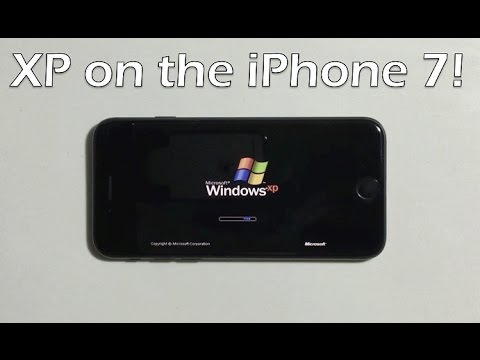
Windows-iPhone: Hackers brings to the iPhone 7 Windows XP
Recently also Windows XP - at least with an emulator running on the iPhone 7. In a YouTube video, a hacker demonstrated how to get the old PC operating system on the Apple Smartphone.

If you opt for an iPhone, you can automatically switch to the operating system iOS with all its advantages and disadvantages. But now there is a YouTube video showing how a hacker can run the ancient PC operating system Windows XP on a current iPhone 7 - and even use it with the touchscreen.

No hack but an emulator

However, this is not really a hack, but actually an emulator, which is installed on the iPhone and then runs Windows XP on the device. Remarkable is how well the emulator apparently functions and how the control of the mouse pointer was adapted to the touchscreen of the smartphone. This way the screen reacts like a trackpad: The pointer is moved by wiping and menus and folders can be opened by tapping.


Of course, the user friendliness remains modest overall. As usual with most emulators, it takes a feeling eternity to load the operating system on the iPhone and also the operation of the icons remains ultimately quite tricky. In the end, with Windows XP on the iPhone 7 but can not really do much. After all, the operating system was developed for completely different devices. Nevertheless, it is, of course, cool to see Windows XP on a smartphone.
But not curved? iPhone 8 could have flat display
Has the iPhone 8 but no curved display with curved edges? So far, most experts assumed that the future flagship of Apple in autumn, when the new iPhones come in terms of tightened round edges. Suddenly, it but looks like the iPhone 8 would once again have a flat display.
iPhone 8 could have flat display

So think about the analyst Wayne Lam by IHS, that Apple while an OLED display iPhone 8 will incorporate into the, which will be but flat: "we assume that Apple will use a design, that is similar to the current 2,5D-Glas", MacRumors cites the IHS investment advisors.

iPhone 8 display not curved - the fans are disappointed? 

For many Apple fans, it could be quite a disappointment, the iPhone manufacturer again dares not take the step the Samsung Samsung Galaxy S6 edge had already made two years with some success. Instead believes IHS analyst Wayne Lam, that Apple could focus more on LG: "more like the new LG G6 we assume that's a touch screen with a longer ratio could give the display area as a whole in relation to the overall size of the unit to grow. This new design language will be the trend for 2017, as also the Samsung devices could show at the end of the month."

Also Ming-Chi Kuo by KGI securities and TrendForce Chinese trend researchers believe that the upcoming iPhone 8 might have "only" a 2,5D-Glas on the front page, whose Kanten are indeed bent, where the curved effect fails but very low. So no major changes to the design of iPhone 6 and iPhone 6 plus, since 2014 already exist.

There are still although various sources such as the Wall Street Journal and IHS analyst Kevin Wang, who stated that the iPhone 8 has a screen which will be curved and round edges. But: Each of these sources has become their opinion changed, what to do can have so, that Apple has tested said a total of ten different prototypes. May be this device with round edges and others that are not curved.

Thursday, March 9, 2017

Recover deleted notes on the iPhone: How it works
Notes on the iPhone are a practical thing, after all, you can quickly create the shopping list or a to-do list. It is particularly annoying, therefore, if you accidentally removed an entry - but not afraid to restore deleted notes is not so difficult.
How it works

Restore text in a note

If you just deleted the text in a note, but the file itself is still open, you can easily restore the writing with a short shake of the smartphone - of course only if you have not deactivated the function. The feature is activated under "Settings> General> Auxiliary Aids" in the "Shake to revoke" item.

Recover deleted notes

If you have deleted a complete note for any reason, you can also undo this. With iOS, a kind of "paper basket" for deleted notes is installed as standard, in which the removed entries are still lifted for 30 days - similar to deleted photos in the photo book of the iPhones.

However, the notes tray, which allows you to restore deleted notes, is somewhat hidden in the Notes app. You have to tap the symbol with the arrow to the left in the top menu bar in the app. A folder overview appears in which the sub-item "Last deleted" should appear. Tap and then swipe left over the note you want to restore. Use the Move option to move the note back to the place of origin. The same process also works via the "Edit" item at the top right of the screen, which allows you to restore several deleted notes at a time.

If the deleted note has already disappeared from the recycle bin, you can restore it by an old iPhone backup.

Summary


  1. Deleted notes on the iPhone are not automatically lost, there are several ways to restore them
  2. If you have only deleted the text in a note, but the file itself still exists, the function "Shake to revoke" can be used
  3. The function is activated under "Settings> General> Operating aids"
  4. If you have deleted the entire note, you can also find the entry still 30 days in a kind of "paper basket" - this is however somewhat hidden
  5. Alternatively, deleted notes can also be restored via an iPhone backup
IPhone 8: Release clearly after iPhone 7s & iPhone 7s Plus?
The iPhone 8 is supposed to come under the name "iPhone Edition" in the trade. The release is insider information, however, according to the standard models iPhone 7s and iPhone 7s Plus.
IPhone 8: Release
The iPhone 8 could come with the name "iPhone Edition" on the market. (© AlHasan Husni 2017)

That the iPhone 8 this year will also come with this name in the trade is, of course, still by no means mattered. After the title "iPhone X" has finally been published, a report from the well-known Japanese Apple blog Mac Otakara according to MacRumors now brings the name "iPhone Edition" into play. Similar to the Apple Watch Edition, the name should also signal the iPhone's absolute luxury. The smartphone should therefore also crack the 1000-dollar mark.

IPhone 8: OLED screen still not secure?

The smartphone is supposed to be presented together with the iPhone 7s and the iPhone 7s Plus on a keynote in September, but the release of the iPhone Edition could be "clearly later". With the features for the iPhone 8 / iPhone Edition, Apple according to the report so far however still sway. Only so far a 5-inch screen, wireless charging and a dual camera are so far. For the 5 inch, Mac Otakara refers to the really usable display part, the complete screen is rumored to be 5.8 inches in size. The iPhone 8 or iPhone Edition will not be bigger than the iPhone 7 with 4.7 inches due to a nearly borderless design.

Otherwise, Apple is currently still many prototypes of the device circulating - some with physical home button, some with a pure software solution. Even with AMOLED and LCD screens are still experimenting. Quite so surely the feature does not seem to be so many rumors.
Apple AirPods: Change the function of the Double-Tap feature - how it works
In conjunction with an iOS device, Apple's AirPods provide many useful features. For example, Apple has integrated a double-tap feature that triggers certain actions when you tap twice on one of the earpieces twice. What happens after that, you can adjust yourself. We'll give you a few tips on how to personalize your wireless headphones.
Apple AirPods
Apple has equipped the AirPods with some settings (© 2017 TEC TECH)

Connect

To make settings for your AirPods, first connect them to your Apple device. If you have already used it, it is enough to open the loading case with them. When Bluetooth is enabled on the iOS device, the headset is then automatically paired with it. If you have just unpacked your new gadget and have not yet put it into operation, open the loading case and place it next to your iPhone or iPad. The setup wizard then starts. Tap "Connect" and then "Done" as soon as the connection has been successfully established.


Double-tap customization

To configure the Double Tap feature of your AirPods, take your iPhone or iPad handheld and enter the "Settings". Look for "Bluetooth" and open this menu. If your wireless Apple headphones are connected, you will see them in the next window. Selects it to access the setting options.

In the AirPods settings, you will find the tab "On AirPods Double Tipping". There are three options to choose from: "Siri", "Start / Pause" and "Disabled". You can choose whether you want to activate the language support of your Apple device with a double-tip on one of the earpieces, or whether you want to pause or continue the music playback via the feature. If you have problems with Double-Tap, such as when the function is often activated by you inadvertently, you can also disable it completely. Attention: In combination with an Android device you have fewer settings available. With the Double-Tap feature, you can stop or resume music playback.

More options

Apple offers you in the AirPods settings further possibilities for the adjustment of the wireless headphones. For example, you can set the name of the gadget displayed on your smartphone under "Name". For example, "Auto Ear Detection" automatically starts playing music as soon as you insert the AirPods into your ears. Since both ear parts each have a microphone, you can also select under "Microphone", which should be used for example in a call.

Summary:


  • Enables Bluetooth on your iOS device
  • Opens the AirPod's loading case to connect the devices
  • If you have not already used the AirPods, open the charging case and connect it to your Apple smartphone or tablet
  • Under "Settings | Bluetooth | AirPods" you will find the setting "On AirPods Double-Tipping"
  • For the Double-Tab feature, choose "Siri", "Start / Pause" or "Disabled"
  • You can also use the AirPods settings to change the displayed name of the gadget
  • The "automatic ear detection" can be deactivated
  • Sets the microphone of the Apple earpieces to be used if necessary
  • In conjunction with an Android device, the Double-Tap feature allows only start / pause in music playback

Monday, March 6, 2017

IPhone 8: Patent refers to fingerprint sensor in the display
The fact that the iPhone 8 will appear for release without a physical home button seems long ago. A now published patent shows how Apple could integrate the fingerprint scanner below the screen. Touch ID could provide a seamless experience without explicit authentication, such as purchases on the App Store.
IPhone 8: Patent refers to fingerprint sensor in the display

The iPhone 8 might support some kind of automatic fingerprint authentication, reports 9to5Mac. A corresponding patent filed already at the beginning of 2015, now this was awarded to the Californians by US patent office USTPO. Obviously, Apple is interested in a different solution for the fingerprint sensor for Samsung's iPhone 8, as it is likely to do with the Samsung Galaxy S8 - in the course of the frameless design, the fingerprint scanner probably migrates to the back of the new Samsung flagship. Apple could plug in the Touch ID directly under the display and thus an identification, which would work on the entire screen area.

IPhone 8: App Store purchases without explicit authentication?

It is described in the patent that a fast authentication is desirable, for example when performing another task. In some cases, additional fingerprint authentication is undesirable. This would allow Apple to target purchases on the App Store or transactions via Apple Pay, which do not have to be confirmed separately by a fingerprint. The iPhone 8 would in this case simply read the finger, which is already already on the display.

Whether the iPhone 8 to the real-time with such an elaborate feature, remains to be seen. The iPhone manufacturer has yet another patent that sketches a display fingerprint scanner to work with infrared light. Only the fewest patents can make the leap into reality. At the latest in September, it is clear which technology will be used in the iPhone 8.
IPhone 8: App Store purchases without explicit authentication?

IPhone 8: Will Apple Touch ID replace with 3D face scan?
The iPhone 8 could do without Touch ID and instead have a 3D face scanner installed. The technology should be even more secure than identification by fingerprint and thus could increase the acceptance of Apple Pay at the banks and shops.
IPhone 8: Will Apple Touch ID replace with 3D face scan?

With the release of the iPhone 8, Touch ID could be history. Instead, Apple plans to integrate a 3D face scan, reports MacRumors, citing the JPMorgan analyst Rod Hall. The physical home button should be omitted in the course of the edge-to-edge design, which should also mean the off for the fingerprint sensor. A novel 3D face scan could also avoid the frustration, which sometimes arose when users with wet fingers failed to identify by touch ID. In the course of a higher security, the payment system of the Californians, Apple Pay, will also learn more popularity from banks and shops. The technique could also be good for a different field of application for Augmented Reality, but probably not before 2018.

3D face scan also for the iPhone 7s and the iPhone 7s Plus?

But not only the OLED flagship is to be given the face recognition, the iPhone 7s and the iPhone 7s Plus could also benefit from the new technology - in the Apple's supply chain, the component is certainly a big issue. The new module will make the production costs of an iPhone 8 about ten to 15 US dollars more expensive. The combination of OLED panel, glass housing and other increased production costs should make the iPhone 8 in the production by up to 100 US dollar more expensive than an iPhone without this equipment.

All in all, the premium features could be responsible for the fact that the iPhone 8 for the release costs more than 1000 US dollars. By the end of September at least, it should be clear whether the projected price shock is actually a reality.
IPhone 8: Next report speaks of 5.8 inch display
The first iPhone with an OLED display will probably be 5.8 inches in size. Even if the iPhone 8 is unveiled in September, all indications now point in one direction: Apple plans a total of three model variants, two with LCD screens and a 5.8 inch version with OLED.
IPhone 8: Next report speaks of 5.8 inch display

The Macrumors around the first iPhone with OLED display do not want to demolish. Apple will probably offer the iPhone 8 in a total of three different variants. The focus of the interest is, however, above all the probably 5.8 inch large top model with OLED screen, which is traded in the rumored kitchen also with the model names iPhone Pro or iPhone X. Nikkei Asian Review now also expects a 5.8-inch version, which is supplied with the 4.7 and 5.5-inch versions with LCD screen. The source had previously always reported a 5-inch supplement for the iPhone 8 line-up.

IPhone 8: part of the 5.8 inch display reserved for virtual buttons

According to MacRumors, this inconsistency is simply to explain that Apple is apparently planning major design changes for the upcoming flagship, which also affect the display. So the home button should be omitted and replaced by virtual buttons. Therefore, a part of the presumably 5.8-inch-wide display is reserved for these buttons and could not be used otherwise. The usable display diagonal is then at 5.15 inches. Therefore, it is also conceivable that Apple will apply the iPhone 8 with OLED screen as a 5.1 or 5.2 inch smartphone. The outer dimensions, on the other hand, are more likely to correspond to those of a 4.7 inch device.

The iPhone 8 is most likely presented at an Apple keynote in September 2017 and received a comprehensive redesign to celebrate the ten-year iPhone anniversary. The Home button is supposed to be dropped, the Touch ID function replaced by a 3D face scan. However, the fingerprint sensor may also find its place in the display. For the release, the iPhone 8 could then cost more than 1000 dollars.

Friday, February 24, 2017

IPhone 6s: Battery problems with iOS 10.2.1 fixed - says Apple
With the software update on iOS 10.2.1, the battery problems of numerous iPhone 6s owners according to Apple have clearly decreased. Also the sudden shutdowns for the iPhone 6s Plus, iPhone 6 and iPhone 6 Plus have been significantly minimized. However, the repair program for iPhone 6s owners is unaffected.
IPhone 6s: Battery problems

For some time some Apple customers are struggling with annoying shutdowns again and again - despite the obvious enough battery capacity. Especially affected were the following models: iPhone 6, iPhone 6 Plus, iPhone 6s and iPhone 6s Plus. However, Apple explained the persistent battery problems now in a statement for largely terminated, TechCrunch reports. The software update iOS 10.2.1, which was released in January, is responsible for this. The manufacturer integrated into the current iOS version measures to get the sudden shutdowns under control - according to Apple with success.

Shutdowns reduced by more than 80 percent on iPhone 6s


Meanwhile, more than half of the iOS users installed iOS 10.2.1. According to Apple, anyway, only a "small percentage" of all users were affected by the sudden shutdowns. Based on the built-in battery diagnostic tool, Apple found significant declines in crashes. While the iPhone 6 shutdowns were reduced by more than 70 percent, the decline in the iPhone 6s amounted to more than 80 percent. In addition, the Californians added a way to restart the iPhone even without power supply, if the problems persist.

Repair program for the iPhone 6s from iOS 10.2.1 fix unaffected


At the same time the iPhone manufacturer stressed that the sudden battery shutdowns at no time represented a safety risk. It is understood, however, that the problems would be an inconvenience, which was to be repaired as quickly as possible. However, the battery fix in iOS 10.2.1 is independent from the repair program for the iPhone 6s, which Apple had created last November. In the affected models of a particular product lot, errors in the production were responsible for the battery shutdowns. In this case, Apple will exchange the battery of affected iPhone 6s models, which have a serial number qualified for the replacement.

Friday, February 3, 2017

Apple intentionally destroyed FaceTime in iOS 6
In the US, many users are taking legal action against Apple. They are accusing the company of deliberately destroying the FaceTime app for iOS 6 to force iPhone users to switch to iOS 7. The background is to be a patent dispute from 2012.
FaceTime in iOS 6

In the US, Apple is currently facing a new lawsuit. In it, several users propose to the company to have made the video chat app FaceTime 2014 in iOS 6 unused by an artificially generated bug. In this way, the company would have forced numerous iPhone owners to upgrade to iOS 7, as reported by AppleInsider. Especially on older iPhones like the models 4 and 4s, however, this resulted in sensitive performance losses.

The consequences of an old patent dispute

Background is apparently a patent dispute from 2012. Last year, the iPhone manufacturer was sentenced to a compensation payment of 302 million US dollars, because Apple for FaceTime had apparently violated a patent of the security company VirnetX. To circumvent further complaints, Apple had to outsource the data transmission of FaceTime chats to external servers of the provider Akamai, which however would have cost the service to unimagined heights. In 2013 alone the server costs the group about 50 million US dollar had tasted.

From 2014 Apple developed a new FaceTime app for iOS 7, where the data no longer had to be transferred via external servers. In order to completely bypass the server costs, the group is supposed to have lambed the "old" FaceTime app for iOS 6 deliberately with an artificially introduced bug, according to the application, to the users to switch to iOS 7 and thus also to the new FaceTime app too to force. In support of their complaint, the plaintiffs have submitted several emails from Apple employees to prove that FaceTime was intentionally destroyed in iOS 6. How the process could ultimately end, is still completely unclear at the moment.

Thursday, June 23, 2016

Apple's response to FBI dispute? IOS 10 is open
Probably because of the FBI dispute surrounding the decryption of an iPhone 5c, Apple has the system core of the beta of iOS 10 is not encrypted. In previous versions of the iOS was the kernel secured by encryption, what Apple that the security is a disservice.

In iOS 10 of the kernel is not encrypted, the security but should be beneficial.

Can a unencrypted system core increase security? Apple is this view and has the kernel of the beta version of iOS 10 In contrast to earlier versions of the iOS was left unencrypted. Now the company said, why it has taken this decision. "The kernel cache contains no user information and by the repeal of the encryption we were in the position to the performance of the operating system to increase, without a compromise of security problems", says an Apple spokesman from TechCrunch.

IOS system core is now open
The kernel is a central part of Apple's mobile operating system, iOS. It stated, among other things, whether and to what extent the applications on the iPhone or iPad can access to the hardware. It is therefore for the device security is of central importance. The advantage of the kernel decryption is that developers are now freely in the program code of the system kernel look. This could gaps and errors detected faster and patched.

Opening the kernel may have something to do with the dispute of the company with the US criminal authorities to do so. The FBI had in connection with the attack in San Bernardino Apple invited to the iPhone is one of the terrorists to unlock. Apple refused the cooperation to ensure the security mechanisms of iOS do not disclose to them. The fear was that it also criminal access to iphone could obtain.

Kernel release should serve the security

The decision to use the system key to decrypt, according to the security experts Jonathan Zdiarski a step against the heard of iOS security gaps. Secret jail breaks of iOS can be worth a lot of money, so for example a company has supposedly a hacker a million US dollars for a jailbreak iOS is paid. The FBI had allegedly even a five- or six-digit amount for the circumvention of the security of the iPhone 5c is paid. With the release of iOS kernel should be secret jail breaks are a thing of the past.

Thursday, June 2, 2016

Apple says all services resume after outage
Some,Apple,services,resume,services,outage

Apple Inc said all its administrations, including the prevalent App Store, have continued after a blackout that began late evening on Thursday. 
Apple says all services resume after outage

Apple's U.S. website page demonstrated all applications had continued starting 11:55 p.m. Eastern Daylight Time (0355 GMT).

"There are no reported issues as of now," the organization said a couple of minutes after the fact on its website page.

The iPhone producer said administrations identified with iCloud and the Photos application have additionally continued. (http://apple.co/1TSidyi)

The issues seem to have begun recently before 4 p.m. EDT, as indicated by a course of events gave on the tech mammoth's bolster page.

Albeit a portion of the organization's administrations continued prior, including the App Store usefulness that was up at around 6:30 p.m. EDT, different administrations identified with iCloud and the Photos application had stayed distracted to a few clients.

Prior, an Apple representative declined remark on the way of the blackout, however alluded to the website page to demonstrate the greater part of the administrations were back on the web.

(Reporting by Narottam Medhora, Shalini Nagarajan and Abinaya Vijayaraghavan in Bengaluru; Editing by Bill Rigby and Biju Dwarakanath)

Tuesday, May 31, 2016

Super thin Asus ZenBook 3 goes hard and fast versus Mac MacBook
PC producer Asus on Tuesday declared the ZenBook, a ultra-smooth portable PC that is pointed solidly at adversary Apple's industry-driving svelte MacBooks. 

Dispatched at Computex 2016 in Taiwan, the Asus ZenBook 3 touts a 11.9mm thick aviation grade aluminum suspension and tips the scales at 910g—more slender and lighter than Apple's 13.1mm, 920g MacBook.

"The Asus ZenBook 3 kills the Apple MacBook in specs and value," enthused TechRadar's Kevin Lee.

"These premium components accompany a reasonable sticker price. The ZenBook 3 begins at just $999 with an Intel Core i5 processor, 4GB of RAM and 256GB SSD. All things considered, the cost goes up to a more noteworthy $1,499 with the 512GB SSD redesign. You can likewise get a luxuriously specced machine with the additional Core i7 processor, 1TB SSD and 16GB of RAM for $1,999," he reported.

"We didn't expect much from yet another ASUS ultraportable, however the ZenBook 3 is genuinely amazing," said Engadget's Devindra Hardawdar.
Super thin Asus ZenBook 3

Then, The Verge's Sam Byford noticed that Asus' new offering stacks up pleasantly beside Apple's 12-incher:

Howver, it stays to be perceived how the two opponents will square up against each other in genuine use.

"(The Asus ZenBook 3) is positively not an ugly gadget, however we'd require more than a couple of minutes with it to perceive how it holds up as far as execution and battery life. Stay tuned for that at whatever point Asus winds up transportation — all we know at this moment is that it's made arrangements for Q3," he closed.

Wednesday, May 18, 2016

iPhone 7: More internal memory & faster LTE
The iPhone 7 could say goodbye to the entry-level version with 16 GB of internal memory and offer at least 32 GB. Also a significantly better LTE chip is talking.
The iPhone 7 could finally
The iPhone 7 could finally have at least 32 GB of internal memory. (© 2015 YouTube / GdgtCompare.com)

16 GB internal memory are so 2012! When iPhone 7, Apple could say goodbye to the smallest entry-level version with this memory size and only on models with 32, set 128 and even 256 GB. Corresponding indications admit it already from Apple's Asian supply chain, writes Credit Suisse analyst Kulbinder Garcha loud Investor's Business Daily. Really new these rumors are terrible - so was last speculated several times about the fact that at least the iPhone could have 7 Plus 256 GB internal memory.

More memory should make iPhone 7 interesting
since the iPhone 5 Apple offers an entry-level version with 16 GB of internal memory - and this smart phone is after three and a half years old. According Garcha the manufacturer could with larger memory options make the iPhone 7 also for owners of older iPhones interesting who want more space on your smartphone.

Digitimes reports, meanwhile, that the iPhone could provide 7 also significantly faster LTE. Responsible for this is to be a new LTE chip from Intel. The US semiconductor manufacturers could supply up to 50 percent of modem chips for the iPhone. 7 be ultimately produced the chips, however, TSMC and KYEC. The other half of the LTE chips for the iPhone 7 will come from Qualcomm. The new Intel chips could allow downloads at up to 450 Mbps and uploads of up to 100 Mbps.

Tuesday, May 17, 2016

iOS 9.3.2 ensures trouble iPad Pro 9.7 inches
The update to iOS 9.3.2 provides 9.7 inches for the iPad Pro problems. On the web itself reports of affected users, who could no longer start their iPad after the software update accumulate. When "Error 56" appears on the screen.
Who owns on iPad Pro 9.7 inches, shoulderstand wait with the update to iOS 9.3.2 prefer.

The iOS 9.3.2 update is there, but owners of an iPad Pro with 9.7 inches should initially prefer to keep distance from the Software. For iOS 9.3.2 can cause the tablet will not boot, MacRumors reported, citing several letters and reports in the social networks. After the over-the-air update the iPad Pro 9.7 not started in some cases and instead showed only the error message "Error 56". In addition, the user will be prompted to connect their device with iTunes. A restore via iTunes is reportedly not lead to success.

iOS 9.3.2: Error 56 indicates hardware problem
According to Apple's support document, the error message is related to a hardware problem. As a possible solution steps recommends that US companies affected users to update to the latest iTunes software. In addition, the person should consider whether any problems exist with security software from third parties. Subsequently, the iPad can be restored twice. If these steps fail, Apple recommends that you contact support directly. Who iPad 9.7 inches has to be not updated to iOS 9.3.2, should therefore wait until Apple provides a fixed version.
Nothing works: This iPad Pro 9.7 has the update to iOS 9.3.2 did not survive.

Update to iOS 9.3.2 has arrived: The new features at a glance
Apple released the update to iOS 9.3.2 for iPhone, iPad and iPod touch. The software update fixes some bugs and provides improved performance. We clarify what has also harmed the Night Shift mode.
Night mode can be used even with active power saving mode now.

The update to iOS 9.3.2 was provided by Apple on Monday evening to download. How already suggests using the version number is iOS 9.3.2 rather a relatively small update. The on the iPhone 6s around 92 megabyte update consists mainly of bug fixing and minor performance improvements. But a change mentioned Apple in its Changelog not: Thus, with the latest update of the Night Shift mode is enabled even when the power saving mode is active. Previously this was only possible via a detour in the form of a Siri voice input.

iOS 9.3.2 fixes Bluetooth problems of the iPhone SE
Back in April, we also reported on the Bluetooth problems of the iPhone SE - with iOS 9.3.2 should belong to the bugs of the past. IPhone owners SE complained sometimes about disconnections in phone calls over Bluetooth, also the quality was often poor. Otherwise fixes iOS 9.3.2. some minor problems that arose about when looking up words. The busboy VoiceOver also did not always work correctly when was chosen as the voice Alex. When punctuation or spaces around the operating system changed sometimes simply on a different voice than the one chosen previously.

Who owns an iPad Pro with 9.7 inch screen size, should probably wait a bit with installing the update. PSN currently accumulating reports of several stakeholders who have received an error message on your tablet after the update to the latest software. In addition, Apple released new firmware versions for OS X, and TVOS watchOS.

Monday, May 16, 2016

Apple throws App System and Security from the App Store
Apple raises the App System and Security again from its App Store. The app of the German security experts Esser was recently approved by the iPhone maker. Now the surprising off - and what Apple says.

The App System and Security of the Europe security expert Stefan Esser should the iPhone owners warn if an unauthorized Jailbreak has been installed on the smartphone. But as surprising as Apple had received the application in its App Store, as surprising as the US company has thrown again from the App Store because of alleged safety concerns. The reported iphone hacks. This useful tool is great popularity among users and could within a short time a leading position in the paid apps rankings secure the store.
Apple has thrown System and Security from the APP Store.

Therefore threw Apple System and Security from the App Store
But why Apple has the App System and Security now removed? Security expert Stefan Esser got from Californians two mails and commented on his Twitter account on the facts. In an email states apps would be turned down, which could generate a "proper diagnosis or other inaccurate device data" available. In the other message it comes however to the used logo of the app. "Misleading representations" would also rejected as "names or symbols" similar existing apps. Esser also announced that the display of current system processes constitute an invasion of privacy Apples opinion.

Whether these arguments, however, are the real reasons for the exclusion of the application, but may be doubted. Finally, Apple new apps can be much more restrictive in his store than it does, for example, rival Google in the Play Store. Maybe the security app simply indicated information that Apple would rather not make public.

Friday, April 29, 2016

How to Hide Glances on Apple Watch
Hat die einen Apple Watch dediziert the Home Screen? Wie funktioniert das auf Apples Armbanduhr Multitasking? Wann kommt die zum Einsatz Force Touche-Ges? Siri und lässt sich nur mit dem ausgesprochen that "Hey Siri" aktivieren?
How to Hide Glances on Apple Watch
Questions can be answered with a look at the following graph. The 4800 × 3000 pixel image also explains why several o'clock reviewers have "initially quite complicated" described navigating the user interface of the Apple Watch as - the slightly nested user interface will be understood only once.

From reach everywhere: Apple Pay, Siri and their own contacts can be started from all views of the Apple Watch. Apple Pay can be opened with a double-tap on the side-mounted button. Siri starts by a long press on the Digital crown. The contact view opens with a simple push of the button.

Notifications: once received appearance on the watch display new messages and can be accessed from the watch-view with a swipe gesture downwards.


In the watch-view start: From the watch-view can change with a simple pressure on the crown Digital App View. To get back Back to watches view extends a double pressure on the Digital crown.
Apple Watch
Force Touch: run within an active app appears the Force Touch gesture a settings and menu items to the watch-view brings you the powerful pressure to select the dial layout.

Glances: The Glances (the boxes of Apple Watch) can be called up in the watch-view with a swipe gesture upward.


Multitasking: Who is Click twice within an open app on the Digital Krone changes to previously opened app and vice versa.